NEWS • PIXEL PRESS
Mobile gaming keeps growing — and controllers are catching up
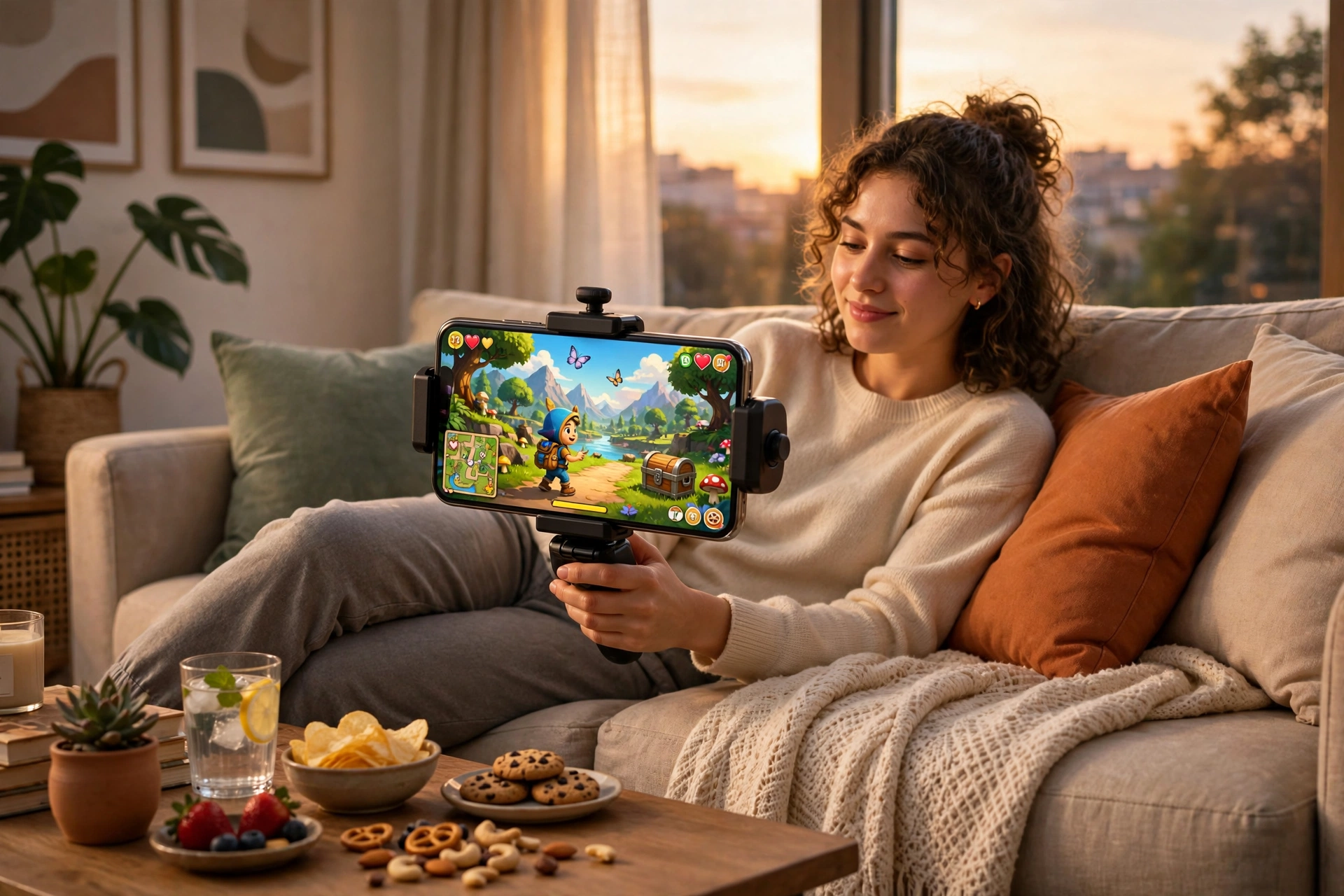
More phones, better chips and cheaper clip-on controllers mean mobile games are starting to feel a lot closer to console games than they used to.
Mobile games used to be a compromise. Now many of them have full stories, big worlds and proper controls.
Clip-on controllers, better batteries and faster chips have closed much of the gap with handheld consoles.
For players, that means the same game can now feel good on a phone, a tablet or a TV — pick the screen you have.
Why mobile gaming feels different now
Mobile gaming used to mean short, simple games designed to fill a few minutes. That is still part of the picture, but it is no longer the whole story. Modern phones have faster chips, brighter screens, and better cooling than the devices of a few years ago, and developers have responded with games that have full stories, large worlds, and controls that were once only possible on a console. You can now start a proper adventure on a train, continue it on the sofa, and finish a quest in bed without feeling that you are playing a cut-down version. That flexibility is the real change: the phone is no longer just a waiting-room device, it is a genuine gaming platform that happens to fit in your pocket.
The other change is choice. App stores now offer everything from calm puzzle games and farming adventures to racing, shooting, and role-playing games with online multiplayer. That variety means two mobile players may have almost nothing in common except the device in their hands. One may play a relaxing game for twenty minutes each evening, while another competes in ranked matches with a controller and a headset. Both are mobile gamers, and both deserve advice that fits their style rather than a single list of so-called best games. The trick is to match the game, the controls, and your daily routine, instead of copying someone else setup and wondering why it feels awkward.
Touch controls, controllers, or both
Touch controls work beautifully for some games and poorly for others, and recognising the difference saves a lot of frustration. Puzzle games, card games, farming games, and turn-based adventures are often designed around tapping and swiping, and they feel natural on a phone screen. Fast action games, platformers, and shooters are a different story: virtual joysticks and buttons can cover the screen, hide enemies, and make precise movement harder, especially on a smaller phone. If you find yourself missing jumps or struggling to aim, the problem may not be your skill — it may be that the game was designed with a controller in mind.
Clip-on controllers solve much of that problem. They attach to the sides of your phone, add real sticks, buttons, and triggers, and turn the phone into something closer to a handheld console. Most modern controllers connect by Bluetooth or through the charging port, and many games detect them automatically. Before buying one, check three things: whether it fits your phone with its case on, whether the games you actually play support controllers, and whether you are comfortable carrying it. A controller that stays at home because it is bulky will not help you on the move. A cheaper alternative is a phone stand and a standard Bluetooth controller you already own, which works well for longer sessions at a desk or on the sofa. Try both styles if you can, because hand size and grip matter more than brand names or feature lists.
Battery, heat, and data: the practical side
Battery life is the hidden limit on mobile gaming. Demanding games use the processor and screen heavily, so a phone that lasts all day for messages may only last a couple of hours in a graphically rich game. Lowering screen brightness a little, closing background apps, and turning down in-game graphics settings can stretch a session without ruining the experience. Avoid playing while the phone is charging in a hot room if it feels very warm, and give it a break if it starts to throttle — a hot phone that slows down is protecting itself, not failing. Our phone battery guide goes deeper into habits that keep your battery healthy over months, not just for one evening.
Data and storage matter too. Many mobile games download large updates, and some need a steady connection for multiplayer. Download big games and updates over Wi-Fi where possible, and check how much storage a game needs before you start — a game that needs several gigabytes will struggle on a nearly full phone. If you are looking for something new without spending money, our free games guide is a good starting point, and our weekend codes post covers bonus rewards that can help in games that support them. For a wider plan covering devices, genres, and healthy play habits, our ultimate beginner gaming guide ties mobile play into the rest of your gaming life.
Finding good games without wasting money
The hardest part of mobile gaming is not playing, it is choosing. Stores are full of games that look exciting in an advert and feel repetitive after ten minutes, and many use timers, energy systems, or purchases that push you to spend. Read recent reviews, look at what the game actually asks you to do each session, and be wary of any game that pressures you to pay to continue a basic task. Free-to-play does not have to mean pay-to-win, but it helps to know the difference before you invest hours. Try a game for a few short sessions before spending anything, and set a simple rule for yourself: no purchases in the first week, so you judge the game on its fun, not on its shop.
Age ratings and permissions deserve a quick check as well, especially if a younger player uses the device. The ESRB and PEGI rating sites explain what content a game contains, and your phone settings let you control purchases and screen time. Reputable stores such as Epic Games free games and Roblox also list age guidance and content details, which makes it easier to pick something suitable for the whole household. If your household plays Roblox, Roblox Codes Hub is a handy bookmark: working codes for 100 games, checked regularly.
Your mobile gaming checklist
- Match controls to the game: touch for puzzles and turn-based games, a controller for fast action and precise platforming.
- Check controller fit, game support, and portability before buying, and test a controller you already own first.
- Lower brightness and in-game graphics for longer sessions, and let a hot phone cool down instead of forcing it.
- Download large games over Wi-Fi, keep storage free, and try a game for several sessions before spending money.
- Use age ratings, purchase controls, and screen-time settings, especially on a shared or family device.
Mobile gaming FAQ
Do I need a controller to enjoy mobile games?
No. Many of the best mobile games are designed for touch and feel awkward with a controller. Buy one only if the games you love most feel limited by touch controls.
Will a controller work with every mobile game?
No. Support varies by game, so check the store page or in-game settings before buying. Some games support controllers fully, some partly, and some not at all.
How can I stop my phone overheating during long sessions?
Lower graphics and brightness, close background apps, take short breaks, and avoid playing in direct sunlight or while the phone is wrapped in a thick case that traps heat.
Are free mobile games worth playing?
Often, yes — if you choose carefully. Look for games with fair progression, readable reviews, and no pressure to pay for basic play, and give each game a few sessions before deciding.
All text on this post was written for Pixel Press. No content was copied from another site.