REVIEWS • PIXEL PRESS
Review: is a budget gaming headset actually worth it?
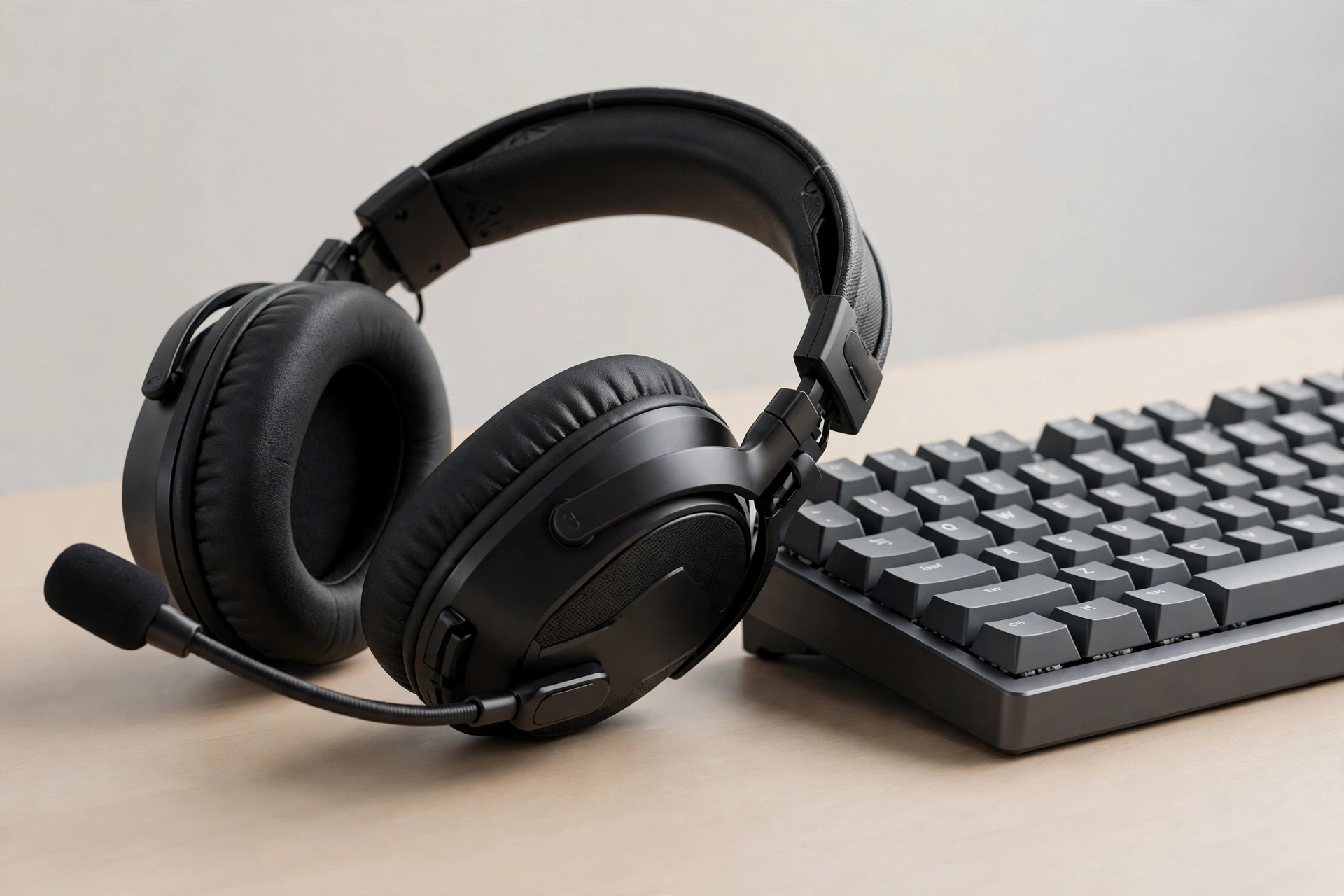
We tested comfort, mic clarity and sound for a week. The short answer: yes, if you pick clear sound over flashy lights — and check the cable first.
Comfort matters more than looks. A headset you can wear for two hours beats a pretty one you take off after twenty minutes.
Mic clarity was good enough for team chat and calls, with no harsh echo.
Our verdict: a solid budget pick for everyday gaming, as long as you check the cable and fit first.
What actually makes a budget headset good
Price is a starting point, not a verdict. A good budget headset gets three things right: sound you can understand clearly, a microphone your friends can understand, and a fit you forget about after ten minutes. Everything else — glowing lights, extra buttons, a carry case, a brand name on the box — is a bonus. When you test a headset, start with a normal game session rather than a loud trailer. Can you hear footsteps, dialogue and warning sounds separately, or does everything blur into one noisy wash? Can you tell roughly where a sound came from, left or right, near or far? Those two checks matter far more in everyday play than a long list of technical terms on the packaging.
Sound balance matters too. Some cheap headsets push the bass so hard that voices disappear underneath it. Others sound thin and sharp, which gets tiring fast. Look for a sound that feels even: voices clear in the middle, game effects present without being harsh, and music pleasant rather than boomy. If the headset has an equaliser setting in its software or on your console, try a flat or balanced preset first. You can always add a little bass later, but you cannot recover dialogue that was buried in the first place. Our week of testing confirmed the original verdict: clear sound beats flashy lights, every single time.
Comfort: the test most buyers skip
Comfort is where budget headsets divide into two groups. The first group feels fine in the shop and painful after an hour. The second group feels unremarkable at first and still feels fine at the end of a long evening. The difference usually comes down to three things: weight, clamping force and ear pads. A lighter headset puts less strain on your neck. A gentler clamp holds the cups in place without squeezing your head. Soft, deep ear pads keep your ears from touching the hard driver inside the cup, which is a common cause of soreness that people blame on volume.
Microphone clarity without spending more
Most budget microphones are good enough for team chat, but small habits make a big difference. Position the microphone about two finger-widths from the corner of your mouth, not directly in front of it. That simple move cuts down on harsh popping sounds when you say words starting with p or b. Speak at a normal volume: shouting into a cheap microphone does not make you clearer, it makes you distorted. If your game or chat app has a noise-gate or noise-suppression setting, turn it on and test it with a friend before an important match.
Choosing between wired, wireless and connection types
Wired headsets remain the safest budget choice. They need no charging, they usually work the moment you plug them in, and they avoid the delay that can make wireless audio feel slightly behind the action. A standard 3.5 mm connection works with most phones, controllers and laptops, while a USB connection can add its own sound processing but may only work on certain devices. Before you buy, check what your main device actually accepts. A headset with both a 3.5 mm cable and a USB option gives you the most flexibility, especially if you switch between a console controller and a PC.
Budget wireless headsets have improved, but they bring trade-offs. You gain freedom of movement and lose battery anxiety only if you remember to charge. A wireless headset that dies halfway through a session is worse than a wired one that never dies at all. If you go wireless on a budget, check the claimed battery life, how it charges, and whether it still works with a cable when the battery runs out. That wired fallback turns a dead battery from a ruined evening into a minor inconvenience. For more on putting together affordable gear as a whole, see our guide to a budget gaming setup, and our companion review of a budget gaming mouse — the two purchases pair naturally, because a comfortable headset and a mouse that fits your hand are the two pieces of gear you touch for every minute of play.
Budget headset buying checklist
- Wear it for at least thirty minutes, with glasses on if you wear them, before deciding.
- Check the cable: is it detachable, long enough to reach your device, and free of kinks or loose plugs?
- Test the microphone with a real friend, not just a recording of yourself.
- Listen for clear voices and separate game sounds, not just loud bass.
- Confirm the connection works with your console, PC or phone — 3.5 mm, USB or both.
- Find the mute control without looking, so you can use it mid-game.
- Keep the box and receipt until you have played for a full week, in case the fit or cable disappoints.
- Compare with our wider starter advice in The Ultimate Beginner Gaming Guide before you spend anything.
If you also play on your phone, the same comfort logic applies in a different form: a headset that is fine at a desk can feel heavy on a commute, and battery life becomes part of the picture. Our guide on making your phone battery last longer while gaming covers the settings that keep a long mobile session going, and it pairs well with a light wired headset that draws no battery of its own.
Common mistakes and easy fixes
For help judging what a game is suitable for, and for checking age ratings before you buy for a younger player, the independent rating bodies are a useful check: the Entertainment Software Rating Board (ESRB) and PEGI both publish plain-language rating guides. And when you are ready to try new games with your headset, browsing Steam is a good way to find demos and free weekends where you can test sound and microphone quality in real games before committing to a full purchase.
Frequently asked questions
Is a budget headset good enough for competitive games? For most players, yes. Clear footsteps and clear callouts matter more than expensive extras. If you play at a high competitive level, you may eventually want a dedicated upgrade, but a good budget headset will not be the thing holding you back at the start.
Should I choose wired or wireless on a budget? Wired, in most cases. It costs less for the same sound quality, never needs charging, and avoids wireless delay. Choose wireless only if you specifically need to move around freely and you are happy to keep it charged.
Why does my microphone sound bad even though the headset is new? Check position, input volume and background noise first. Move the microphone to the corner of your mouth, lower the input level if your voice distorts, and turn on noise suppression in your chat app. Those three fixes solve most budget microphone complaints.
How long should a budget headset last? With a detachable cable and gentle handling, a year or more of daily use is reasonable. The cable and ear pads usually wear out first, and both are cheaper to replace than the whole headset when the design allows it.
All text on this post was written for Pixel Press. No content was copied from another site.