HOW-TO • PIXEL PRESS
How to choose a gaming mouse that actually fits your hand
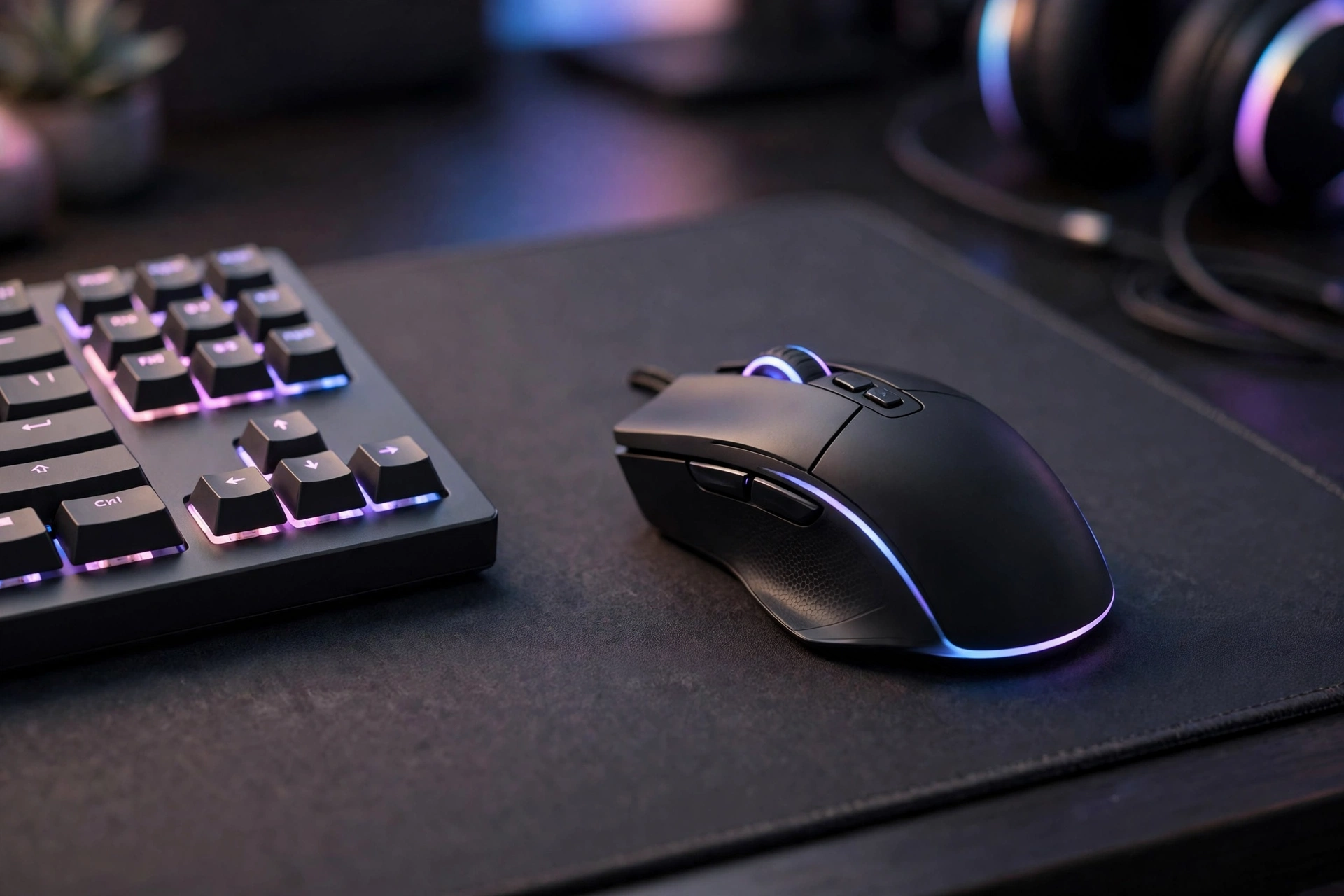
A good mouse is not the most expensive one — it is the one that fits your hand, your grip and the games you play.
First, check your grip. Palm, claw and fingertip grips all suit different shapes and sizes.
Weight matters more than lights. A lighter mouse is easier to move quickly, while a heavier one can feel steadier.
Try the shape in your hand if you can, check the cable or wireless battery, and ignore extra buttons you will never press.
Start with your hand, not the specification sheet
Mouse shopping usually starts in the wrong place: a list of numbers. A high maximum sensitivity, a long list of buttons, and bright lighting look impressive on a product page, but none of them tells you whether the mouse will feel comfortable after two hours. Start instead by measuring your hand from the base of your palm to the tip of your middle finger, and by noticing how you naturally hold a mouse when you are not thinking about it. That natural hold is your grip, and it decides which shapes will work for you far more reliably than any marketing claim.
Palm grip players rest their whole hand on the mouse and usually suit larger, taller shapes that fill the palm. Claw grip players arch their fingers and touch the mouse at the palm and fingertips, so they often prefer medium shapes with a defined hump. Fingertip grip players control the mouse with their fingers alone, with the palm barely touching, and they usually suit smaller, lighter shapes. There are no strict rules here, and many players sit between two grips, but knowing your closest match narrows a bewildering shelf of options down to a shortlist you can actually test. If you are building a whole setup around a new mouse, our budget setup guide explains how to balance mouse, monitor, and keyboard spending.
Weight, shape, and size in practice
Weight affects aiming more than most beginners expect. A lighter mouse, often under seventy grams, is easier to flick quickly and easier to lift and reposition during fast play, which is why many competitive players prefer it. A heavier mouse can feel steadier and more planted, which some players prefer for slower, precise work or for larger hands. Neither is objectively better: the right weight is the one that lets you aim smoothly without tiring your wrist or overshooting small targets. If a mouse offers adjustable weights, try it without extra weights first, play for a few days, and only then experiment, so you can tell what actually changed.
Shape matters even more than weight, because shape decides where your thumb, fingers, and palm rest. A symmetrical mouse suits both hands and fingertip grips, while a right-handed ergonomic shape supports the thumb and palm for longer sessions. Length matters too: a mouse that is too long forces your fingers to stretch, while one that is too short leaves your palm unsupported and your wrist working harder. When you cannot try a mouse in a shop, compare its length, width, and height with a mouse you already own and like, and read reviews from people with a similar hand size and grip. That comparison is far more useful than a star rating alone.
Sensitivity, polling, and settings that actually help
Sensitivity, often called DPI, is simply how far the cursor moves for a given physical movement. A very high DPI is not better; it just means tiny hand movements produce large cursor jumps, which makes precise aiming harder. Most players do better with a moderate sensitivity and a large, smooth mouse movement, adjusting in small steps until aiming feels predictable. Change one setting at a time, play several matches or sessions with it, and only then change something else, because changing three settings at once makes it impossible to know which one helped.
Polling rate, the frequency at which the mouse reports its position, is worth understanding but rarely worth obsessing over. A higher polling rate can feel slightly smoother on a fast screen, but it also uses more system resources, and the difference is subtle compared with shape and weight. Wired mice avoid battery worries and usually cost less, while wireless mice remove cable drag and suit tidy desks, provided you remember to charge them. A good cable, a simple bungee, or a clean desk edge can make a wired mouse feel almost wireless, and a wireless mouse with a long battery life removes the main wireless worry. For fast-paced PC play, our FPS on PC guide explains how mouse settings, frame rate, and monitor choice interact.
Buttons, build quality, and comfort over time
Extra buttons are useful only if you actually press them. Two side buttons for forward and back, or for a game action you use constantly, are enough for most players, while a grid of many small buttons suits specific game types and can confuse everyone else. Test side buttons with your thumb in a natural grip: if you must stretch or twist to reach them, you will not use them in a real match. Click feel matters too: buttons should feel crisp and consistent, the scroll wheel should move in clear steps without wobbling, and the surface should stay grippy when your hands warm up during a long session.
Build quality shows itself over weeks, not minutes. Check reviews for double-clicking buttons, squeaking wheels, peeling coatings, or cables that fray at the connector, and keep your receipt so a fault in the first months is a replacement, not a loss. Clean the sensor gently with a dry cloth, replace worn feet when gliding becomes rough, and use a mouse pad large enough for your full range of movement, since a pad that is too small forces constant lifting. A comfortable headset completes the setup for team play, and our budget headset guide covers sound on a budget, while The Ultimate Beginner Gaming Guide places mouse choice inside a complete beginner plan.
Gaming mouse checklist
- Measure your hand and identify your natural grip: palm, claw, or fingertip.
- Shortlist shapes that suit that grip and a similar hand size.
- Try weight in practice: lighter for fast flicks, heavier only if it feels steadier.
- Compare length, width, and height with a mouse you already like.
- Set a moderate sensitivity and change one setting at a time.
- Choose wired for value or wireless for a tidy desk, and check battery life.
- Keep only the buttons you will actually press, and keep the receipt.
Frequently asked questions
Is a more expensive mouse always better? No. Price often pays for extra buttons, lighting, or brand, not for fit. A modest mouse that matches your hand and grip will beat an expensive mouse that cramps your fingers, so test shape first and specifications second. You can try different sensitivities in free games on Steam and Epic Games free games without spending anything extra.
Should I choose wired or wireless? Wired is simpler, cheaper, and never needs charging, while wireless is tidier and avoids cable drag. Modern wireless mice perform well for most players, so choose based on your desk and habits rather than worrying that wireless is automatically slower.
What DPI should I use? There is no universal best number. Start moderate, aim at small targets in a practice mode, and adjust in small steps until movement feels predictable. Comfort and consistency matter far more than reaching the highest number on the box.
How often should I replace a gaming mouse? Replace it when clicks become unreliable, the wheel fails, the coating peels badly, or the shape no longer suits how you play, not on a fixed schedule. A well-kept mouse often lasts several years, and new feet or a fresh pad can extend its life considerably.
All text on this post was written for Pixel Press. No content was copied from another site.